
IPTV Glass: IPTV Store Theme and Checkout for WHMCS
A dark glass WHMCS 9 theme for IPTV sellers: homepage, pricing, a one-page three-step checkout and a client area that shows each customer's streaming login.
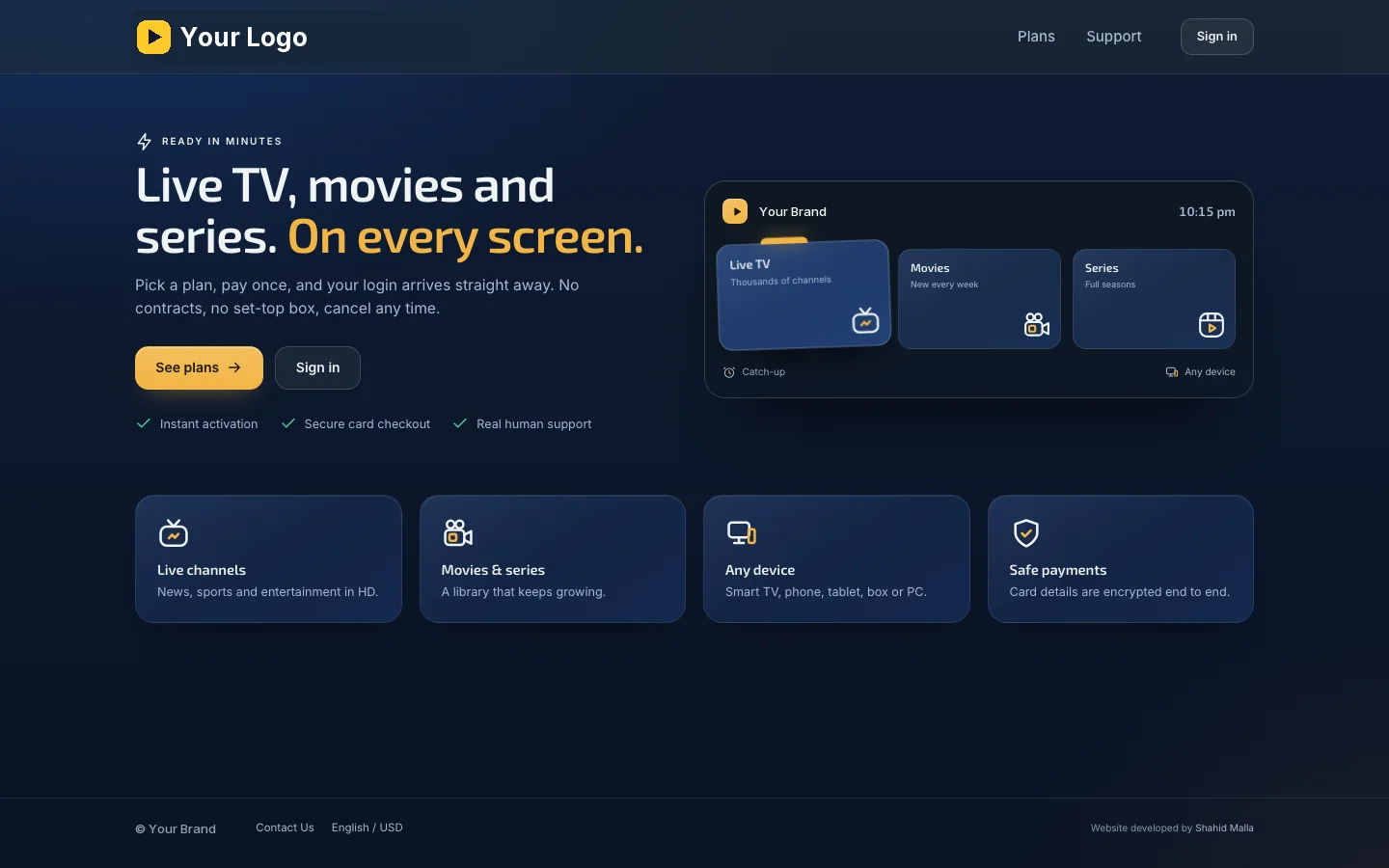
IPTV Glass is a WHMCS theme for IPTV subscription sellers that covers the whole customer journey: the homepage, the plans, a short checkout and the client area customers use afterwards. It has a dark navy "glass" design with a gold accent you can change, it works on phones with a bottom tab bar, and it hides everything an IPTV store does not need, such as domain pages. I built it on WHMCS 9.1 for a client's live store, which you can open as the live demo; the screenshots on this page come from that build with the store's brand replaced by placeholders.
Which pages does it include?
| Page | What the customer sees |
|---|---|
| Homepage | A headline, a call to action, feature tiles and an animated TV preview |
| Pricing | Your plans side by side, for example a free trial, 1, 3 and 6 months, with a "most popular" card and the monthly price worked out for longer plans |
| Checkout | One page in three steps (plan, details, payment) that moves on by itself, with an order summary showing today's total and the renewal amount |
| Dashboard | A greeting, the active subscription with days left, the streaming username and password with copy buttons, invoices, credit and support at a glance |
| Subscription | A days-left ring, renewal date and price, the login details with "Copy both", a three-step "start watching" guide, and buttons to open a ticket or cancel |
| Account area | Subscriptions, invoices and a printable invoice, account credit top-up, support tickets, profile, password, two-factor security and saved payment methods |
| Sign-in pages | Login and password reset in the same design |
Why is the checkout shorter than standard WHMCS?
Because an IPTV customer wants to pay and start watching, not fill in a hosting order. The IPTV Glass Cart order form asks only for full name, email, phone with a country flag, country and a password, and a "Make one for me" button creates an easy-to-remember password. Returning customers sign in inside the checkout, a free trial plan goes through without a card, and each step opens the next one as soon as it is complete.
What can you change without editing code?
The IPTV Glass addon in your WHMCS admin holds the settings: the accent colour, which product group is shown as your plans, whether the short sign-up is used, whether the phone number is required, optional or hidden, easy passwords, automatic checkout steps, the credit page in the menu and whether the server hostname is shown to customers. Your logo and brand name replace the placeholders, and plans, prices and wording come from your own WHMCS products.
How is it different from IPTVSpire and SMThemeTV?
| Theme | Where its weight is | Price |
|---|---|---|
| IPTV Glass | The full journey with a one-page, three-step checkout and a client area built around the streaming login; dark navy glass with a gold accent | $299 |
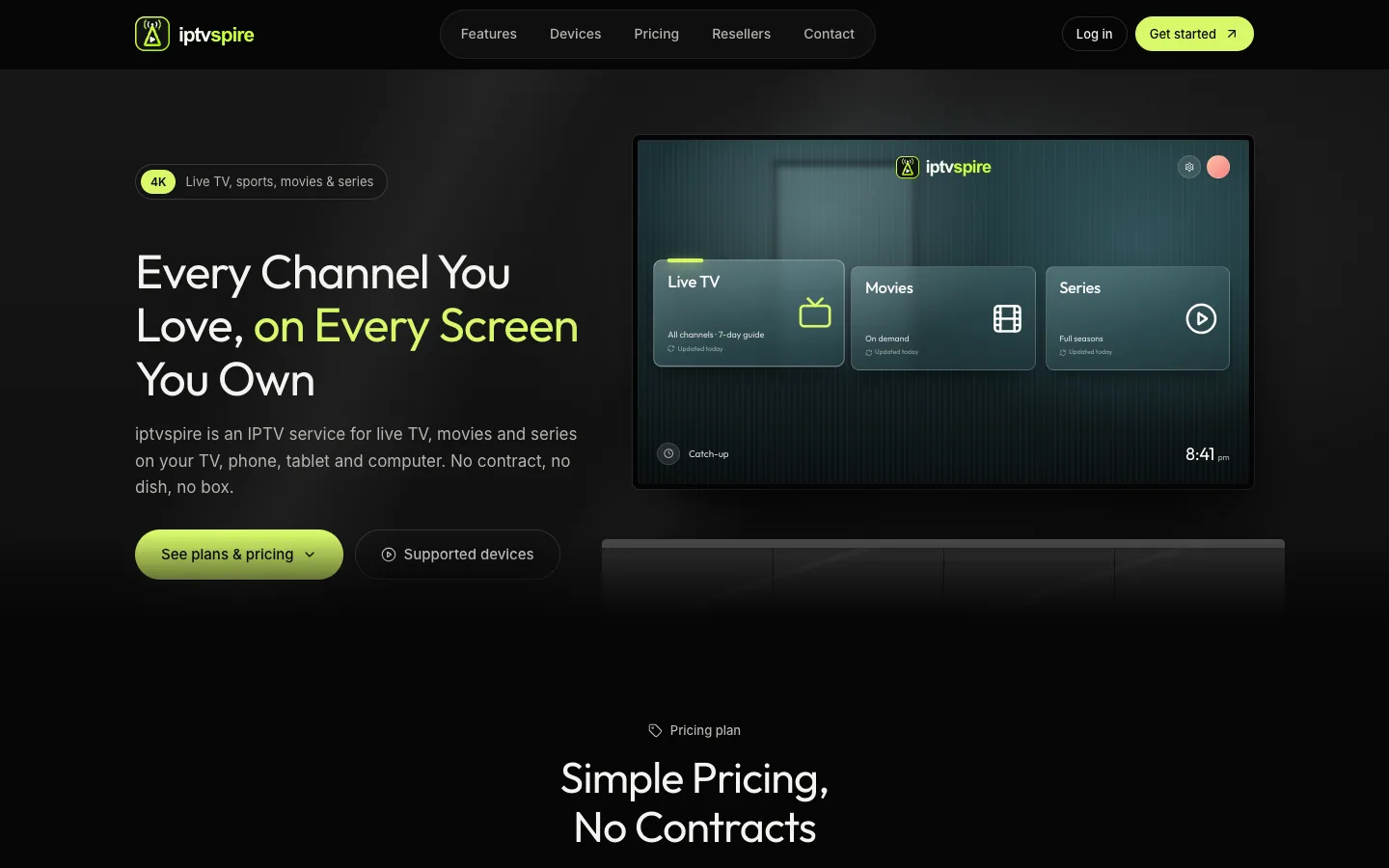
| IPTVSpire | A public storefront with features, devices and reseller pages; black and lime, with a live demo | $199 |
| SMThemeTV | A sidebar client area with homepage plans built from your products and a 13-tab Theme Manager | $169 |
What do you need, and what are the limits?
Requirements: WHMCS 9.1, because IPTV Glass is a child theme of Twenty-One built and tested there. Creating, renewing and suspending the accounts on your streaming panel is the job of a panel module, such as my XUI or Xtream UI modules; the theme shows the username and password that module saves on each service. Payments use any WHMCS payment gateway you enable; the screenshots show my Square gateway, which is sold separately. The theme is licensed with a signed license key that is checked once a day and keeps working through a seven-day grace period, so a network problem never takes your store down.
It costs $299 once for a lifetime license with twelve months of updates and support. All sales are final.
I sell the theme only, never IPTV service, channels, streams or playlists. It is for operators who hold the rights to what they sell.
Key features
- Homepage with a TV preview and feature tiles
- Pricing page with a free trial, a popular plan and the monthly price for longer plans
- One-page checkout in three steps that moves on by itself
- Short sign-up with phone flags and a "Make one for me" password
- Sign-in inside the checkout for returning customers
- Dashboard with the streaming login, days left, invoices, credit and support
- Subscription page with a days-left ring and a start-watching guide
- Invoices, credit top-up, support tickets, profile, two-factor security and saved cards
- Phone layout with a bottom tab bar
- Settings addon: accent colour, plans group, sign-up fields and menu options
Why customers buy this module
- →Customers go from plan to login in one short checkout
- →Fewer "what is my login?" tickets, because the login sits on the dashboard with copy buttons
- →A store that looks like a streaming product, not a hosting panel
- →Change colours and sign-up fields from the admin, without code
Screenshots
Click any image to enlarge.
Frequently asked questions
Does the theme include channels, streams or player apps?
No. IPTV Glass is a WHMCS theme only: it styles your homepage, pricing, checkout and client area. It does not supply streams, channel lists, playlists or apps, and I do not sell IPTV service. It is for operators who hold the rights to the channels they sell.
Does IPTV Glass create the accounts on my IPTV panel?
Which payment methods work with the checkout?
Any payment gateway you enable in WHMCS appears in the payment step. The screenshots show my Square gateway for WHMCS, which takes cards, Apple Pay, Google Pay and Cash App Pay and is sold separately.
Can I use my own logo, colours and plans?
Yes. Your logo and brand name replace the placeholders in the screenshots, the accent colour is a setting in the IPTV Glass addon, and the plans, prices and descriptions come from your own WHMCS products, so you change them in WHMCS as usual.
Which WHMCS version do I need?
WHMCS 9.1. IPTV Glass is a child theme of WHMCS's Twenty-One theme and was built and tested on 9.1, together with its own order form and settings addon.
Is there a live demo?
Yes. epicvisions.net is a live store built with IPTV Glass, so you can open the homepage, pricing and checkout before you buy. It is my client's store: I built its website, and I do not run, sell or vouch for its service. Its plans, prices and wording are the client's own; your copy shows your products, prices and text.
Technical specifications
- WHMCS
- 9.1 (child theme of Twenty-One)
- Parts
- Client area theme, IPTV Glass Cart order form, IPTV Glass settings addon
- Pages
- Home, pricing, checkout, dashboard, subscriptions, invoices, credit, tickets, profile, security, payment methods, login
- Design
- Dark navy glass, accent colour of your choice, phone layout with bottom tab bar
- Account creation
- Your panel module (sold separately)
- Live demo
- epicvisions.net, a client's live store built with this theme
- License
- Lifetime, 1 year of updates and support included, signed license key
- Refunds
- None, all sales are final
Related modules
IPTVSpire IPTV Storefront Theme for WHMCS
IPTVSpire turns WHMCS 9 into a complete storefront for a streaming subscription business: a TV-style homepage, plan cards with a free trial, separate features, devices and reseller pages, and a restyled login and cart. See it running on the live demo.
Cloud VPS WHMCS Theme
I built this theme for a company selling dedicated servers, VPS and cloud compute through WHMCS. It restyles every client-facing page, adds a catalog-style order form with a sign-in step, and ships a Theme Manager addon with CMS pages, a blog, menus, media and SEO settings.
Server Location Picker with Flags for WHMCS
I built this addon to manage server locations in one place. It writes them into WHMCS as a configurable option with prices in every currency, passes the chosen location code to your server module, and feeds flag cards and per-month savings to the order form.