
Multi-Brand Manager for WHMCS
Run several brands from one WHMCS install, each with its own domain, logo, colors, invoice details, email sender and product catalog.
What will the multi-brand manager do?
It lets one WHMCS installation serve several brands. You add a brand, point its domain at your WHMCS, and set its name, logo, colors, invoice company details, email sender and footer. Visitors who arrive on that domain see that brand's client area and cart, with only the products you assigned to it. Each client belongs to one brand, recorded when they sign up and changeable by staff, so their invoices and emails carry that brand whether they are sent from a page or by the cron.
This product is built to order: you get the license key at purchase and the download within 20 business days.
What does WHMCS already do, and what does this add?
WHMCS has one company name, one main email address, one logo URL for emails and invoices, one Pay To Text, one System URL and one global email header and footer per installation, and each of them applies to every client. You can hide products, but there is no way to say that a client, a product or a domain belongs to a second business. The module adds that layer: a brand record, picked by domain for visitors and by client for everything sent later.
What is included?
| Per brand | What changes |
|---|---|
| Domain | Its own domain or subdomain pointing at your WHMCS |
| Look | Logo and main colors in the client area and cart |
| Invoices | Company name, logo and pay-to details on invoice pages and PDFs |
| Emails | Sender name and address, header and footer, and links to the brand's domain |
| Catalog | Product groups and products shown only on the brands you choose |
| Clients | Brand set at signup, shown in the admin area and changeable by staff |
Who is it for?
Hosting companies that bought a competitor and kept its name, run a budget brand next to a premium one, or sell to two markets under different names, and today pay for a second WHMCS license, keep a second set of products and look in two places for every client. One install means one set of staff logins, one cron and one place for reports, while each brand still looks like its own business to the people who buy from it.
What stays shared between brands?
It is better to know this before you buy. Payment gateways are shared: WHMCS keeps one set of credentials per gateway, so payments for every brand land in the same merchant account, and gateway callbacks run on your main WHMCS address. Invoice numbering is one sequence across brands. The admin area, staff, support departments, knowledgebase and announcements are shared, though you can create a support department per brand. A client's email address is unique across the whole install, so one person cannot hold two accounts with the same email on two brands. Admin notification emails keep your main sender.
What do you need, and what are the limits?
Requirements: WHMCS 8.13 or 9.x (I confirm your exact version at purchase), PHP 8.1 or newer, an SSL certificate for each brand domain, SPF and DKIM records for each brand's sending domain, and a client area theme based on Twenty-One. Your WHMCS license lists the domains it is valid for, and changing them may need a reissue from WHMCS or your license provider, so confirm every brand domain is covered before you order.
Limits: the brand look covers the logo, colors and company details you set, not a separate theme per brand. Clients already on your install start on the main brand until you move them, one by one or by client group.
It costs $299 once for a lifetime license with twelve months of updates and support, the license key at purchase and the download within 20 business days, and a seven-day refund window.
Key features
- Several brands on one WHMCS install, each on its own domain
- Brand logo and colors in the client area and cart
- Company name, logo and pay-to details per brand on invoices and invoice PDFs
- Brand sender name and address, email header and footer for client emails
- Links in client emails pointing to the client's brand domain
- Products and product groups shown only on the brands you choose
- Brand recorded on each client at signup and editable by staff
- Existing clients moved to a brand one by one or by client group
- Brand shown on client, order and invoice pages in the admin area
Why customers buy this module
- →One WHMCS license, cron and staff team for every brand
- →Each brand looks like its own business to its customers
- →Invoices and emails always match the brand the client signed up with
- →The shared parts are stated up front, so nothing comes as a surprise
Frequently asked questions
Can each brand use its own Stripe or PayPal account?
No. WHMCS keeps one set of credentials for each payment gateway, so every brand collects through the same accounts. If separate merchant accounts are a must, for example because the brands are separate companies, two WHMCS installations are the right setup and this module is not.
Will my WHMCS license work on several domains?
That depends on your license. WHMCS licenses list the domains they are valid for, and WHMCS or the company you license it from may need to reissue yours to add brand domains. Check that before you order, because the module cannot change what your license allows.
When will I get it, and what if you can't deliver?
You get the license key at purchase and the download within 20 business days of purchase. If I do not deliver it in that time, you get a full refund. Otherwise the store's seven-day refund window applies.
Technical specifications
- WHMCS
- 8.13 and 9.x (confirmed at purchase)
- PHP
- 8.1+
- Per brand
- Domain, logo, colors, invoice details, email sender and footer, products
- Shared
- Payment gateways, invoice numbering, admin area, client email addresses
- Availability
- Built to order, delivered in 20 business days
- License
- Lifetime, 1 year of updates and support included
- Delivery
- Instant download and license key
- Refund window
- 7 days
Related modules
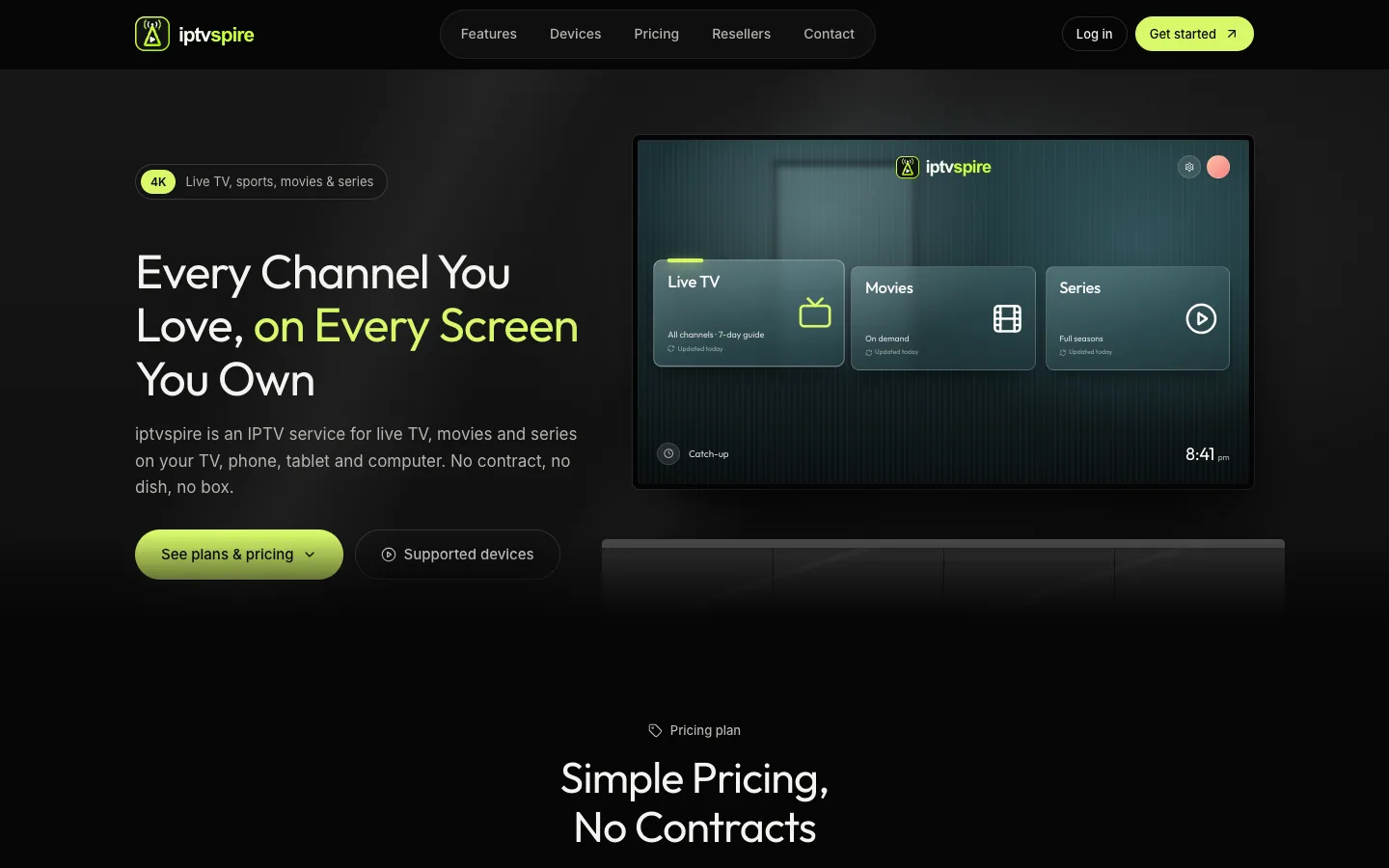
IPTVSpire IPTV Storefront Theme for WHMCS
IPTVSpire turns WHMCS 9 into a complete storefront for a streaming subscription business: a TV-style homepage, plan cards with a free trial, separate features, devices and reseller pages, and a restyled login and cart. See it running on the live demo.
Cloud VPS WHMCS Theme
I built this theme for a company selling dedicated servers, VPS and cloud compute through WHMCS. It restyles every client-facing page, adds a catalog-style order form with a sign-in step, and ships a Theme Manager addon with CMS pages, a blog, menus, media and SEO settings.
Server Location Picker with Flags for WHMCS
I built this addon to manage server locations in one place. It writes them into WHMCS as a configurable option with prices in every currency, passes the chosen location code to your server module, and feeds flag cards and per-month savings to the order form.